The cord nest behind a desk grows one charger at a time. Soon pulling out one plug means untangling five. The mess also traps dust and makes cleaning a job you avoid.
The cable management ideas desk guide below works for setups of any size and starts with safety and access, not just looks. You will hide what can be hidden, lift cords off the floor, label every end, and keep plugs reachable. Work through the list in order, or pick the two ideas that match your worst tangle.
Start by unplugging everything once and removing cords for devices you no longer use. Fewer cords makes every idea below easier.
10 Ideas That End the Cord Nest
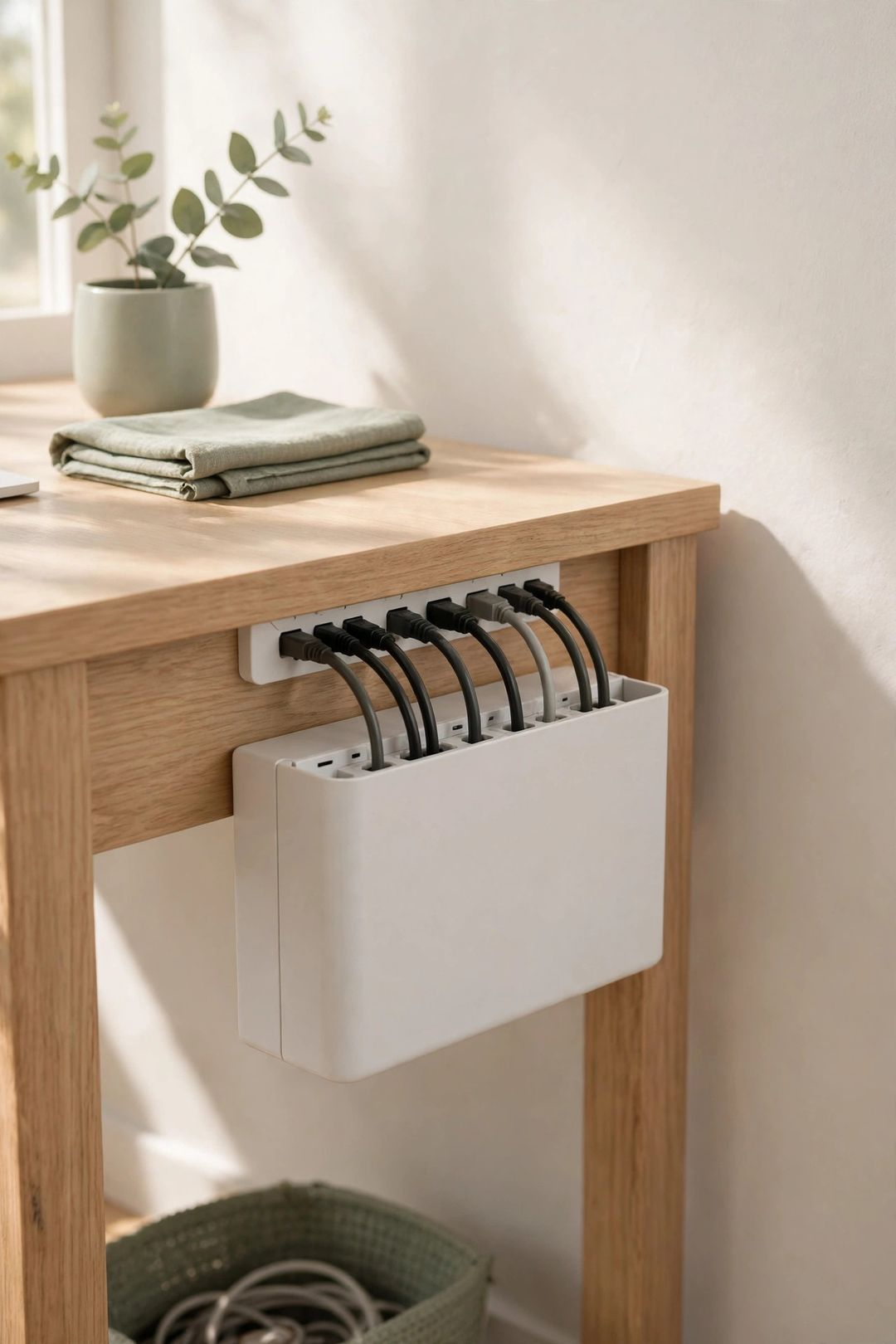
1. Hide the power strip in a cable box. A vented box holds the strip and bulky adapters in one place, with cords exiting through slots. Choose a box with room for heat to escape. Skip sealing chargers in a small, airtight box, and never stack hot adapters tightly together.
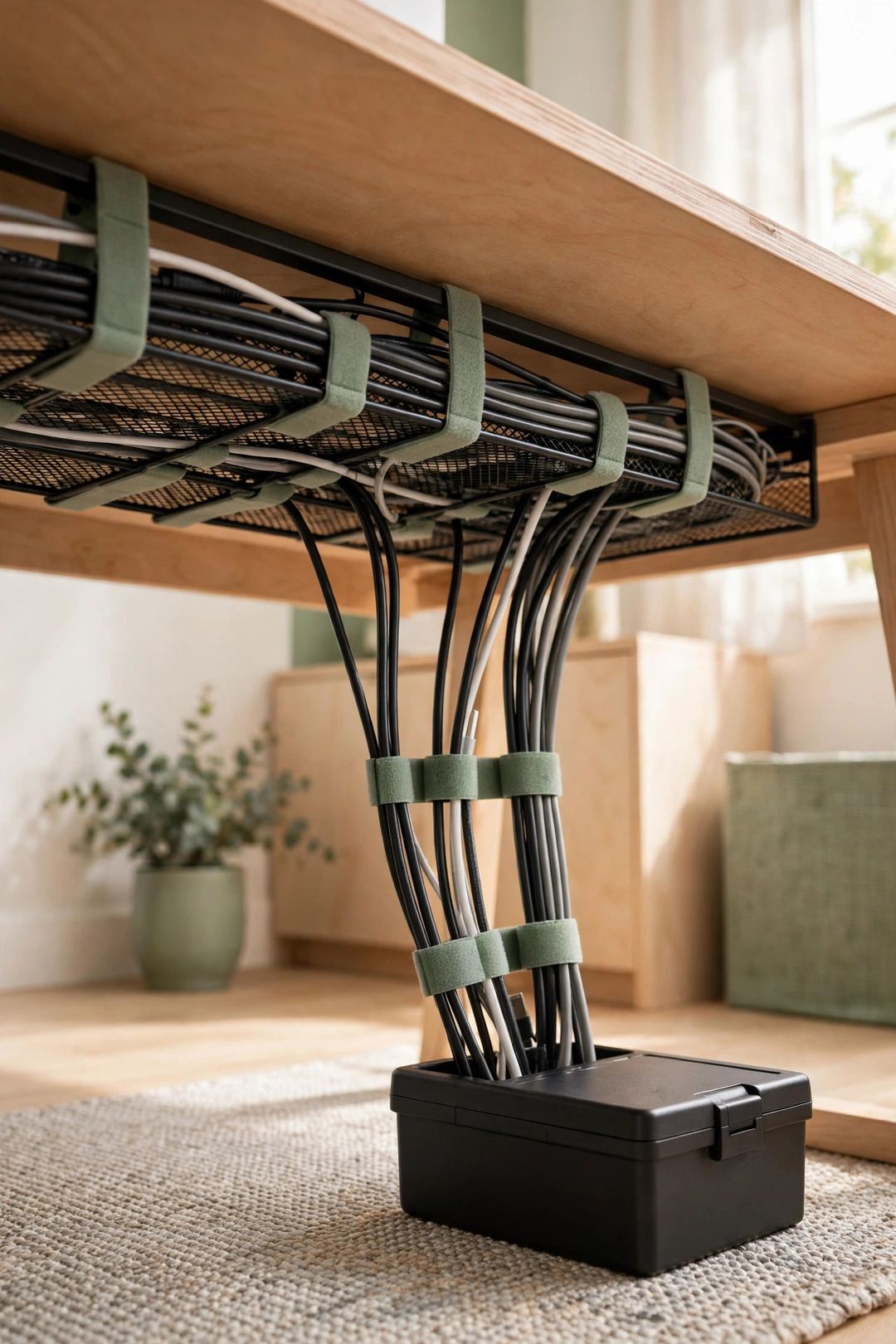
2. Mount an under-desk tray. A wire tray screwed or clamped under the desk lifts the strip, adapters, and excess cord off the floor, which makes vacuuming easy. Measure it against your largest adapter first. Skip overfilling it; a crammed tray is hard to change later.
3. Choose Velcro ties over zip ties for most cords. Hook-and-loop ties open in seconds when gear changes, and they do not crimp cords. Zip ties are cheaper and hold firmly, but you must cut them off, and a tight one can damage a cable. Use zip ties only on cords you rarely move, kept loose enough to slide.
4. Label both ends of every cord. A small tag or piece of tape near each plug names the device: monitor, laptop, lamp. Labels turn unplugging one device from a guessing game into a ten-second task. Use plain words anyone in the home can read. Relabel when you swap gear, or the system fails quietly.
5. Turn a drawer into a charging station. Route one strip or charging hub into a desk drawer, add a divider, and charge phones and earbuds out of sight. Leave the drawer cracked open, since charging creates heat. Skip charging on top of papers or fabric.
6. Run raceway channels along the desk edge. Adhesive or screw-on channels guide cords along the back edge or down a desk leg in a clean line. Test adhesive on a hidden spot first, since it can lift paint or finish when removed. Paintable channels blend in best on plain walls.
7. Follow the one-power-strip rule. Plug desk gear into one strip, plugged directly into the wall. Never plug one strip into another. Check the strip's rating against your devices' total load, and replace a strip that runs hot, buzzes, or has a damaged cord.
8. Coil and shorten the excess. Most nests are just extra length. Loop the spare cord once or twice, secure it with a Velcro tie inside the tray or box, and leave slack to move the device. Skip tight, sharp bends, which stress the cable. A shorter cord is often cleaner than coiling a very long one.
9. Cover floor runs with a low cord cover. If a cord must cross a walkway, use a flat floor cord cover so feet and chair wheels pass over it safely. Treat this as a trip fix, not decoration. Keep covers off damp floors, check for cracks, and reroute along a wall instead whenever you can.
10. Schedule a quarterly untangle routine. Four times a year, unplug, dust the tray and box, remove dead cords, check labels, and look for frayed or hot cables. Replace any cord with cracked insulation right away. This short routine keeps the other nine ideas working.
What to Buy
A vented cable management box, typically $16–$28. Pro: It hides the strip and adapters and gives cords one exit point. Con: Large adapters may not fit, and a crowded box traps heat. Best for: Desks where the strip sits in plain sight.
An under-desk cable tray, typically $18–$32. Pro: It lifts everything off the floor for cleaning and foot room. Con: Screw-mount versions leave holes, and clamp versions can slip on thin desktops. Best for: Permanent desks with several devices.
Reusable Velcro cable ties, typically $7–$12 for a pack. Pro: They adjust in seconds and are gentle on cords. Con: They loosen over time and collect dust and lint. Best for: Any cord you unplug or move more than once a year.
An adhesive raceway channel kit, typically $14–$24. Pro: It creates a clean, straight cord path along a wall or desk leg. Con: Adhesive may damage paint on removal, and channels hold only a few cords. Best for: One or two cords running to a side wall outlet.

Mistakes to Avoid
- Daisy-chaining power strips. Plugging one strip into another overloads circuits and cords. One strip, plugged straight into the wall, is the limit.
- Hiding heat in closed spaces. Adapters and hubs get warm. Use vented boxes, leave air gaps, and do not bury chargers under papers or fabric.
- Cinching zip ties tight. A tight tie can cut into insulation. Keep ties loose, and prefer reusable ties for cords you move.
- Leaving cords on damp floors. Keep cords and strips off bathroom-adjacent or basement floors that get wet. Lift them into a tray or box.
- Hiding cords so well you cannot reach them. If unplugging one device takes ten minutes, the system is too sealed. Keep plugs labeled and reachable.
Frequently Asked Questions
Is it safe to put a power strip in a cable box?
Yes, if the box is vented, roomy, and made for this use. Leave space around adapters, do not exceed the strip's rating, and check now and then that nothing feels hot. If the box or strip runs hot, use a larger box or move the strip into an open under-desk tray.
Are Velcro ties or zip ties better for desk cords?
Velcro ties suit most desk cords because you can adjust them without tools or damage. Zip ties cost less and hold a fixed bundle well, but you cut them to make changes and a tight tie can harm a cable.
How do you keep cords off the floor without a tray?
Use adhesive clips or a raceway channel along the back edge of the desk and down one leg. Bundle the run with Velcro ties first so it stays in the clips. This works well for two or three cords, but a tray handles a full strip and adapters better.
What should you do with a frayed or damaged cord?
Stop using it and replace it. Do not tape over cracked insulation or keep a cord that sparks, runs hot, or works only at one angle. Damaged cords are a safety problem, not an organization problem, so they leave the desk the day you spot them.
A tidy desk back is mostly a few habits: one strip, labeled ends, cords lifted, and a quick check four times a year. Save this post to your Home Office board on Pinterest so the full checklist is handy the next time a new charger joins the nest.